Table of contents
Table of contents
Construction project accounting is a method of bookkeeping that shows you whether you’re likely to make the return on a job you expect. Without it, the projects you’re working on can veer off course until you’re locked into a loss you’ll find challenging to reverse.
In this article, find out the differences between general accounting and construction project accounting, and learn how to implement them in your company.

The difference between general accounting vs. project accounting
General accounting tracks your company's overall financial health over a given period. It helps you determine the overall health of the business for that month, quarter, or year.
On the other hand, construction project accounting zooms in much closer. It monitors financial data at the individual job level, so you can analyze and manage each project as if it were a mini-business within your larger organization. You get a clear, accurate, and up-to-date picture of the profitability and cash flow of every job.

The goal of general accounting
For enterprise-sized organizations, general accounting provides consolidated financial visibility across all your group companies and entities. This creates a single source of truth for you and the board to set targets and monitor overall performance.
With this level of clarity, your finance team can make more accurate forecasts and manage working capital more effectively.
This information gives decision makers the confidence to act more decisively and strengthens shareholder/stakeholder buy-in. It also helps maintain compliance with the IRS and similar organizations, which rely on those reports to verify your tax liabilities.
 Protect your bonding capacity by reconciling your job-level WIP schedules with your company-level financial statements every month. Underwriters often cross-reference both reports and view discrepancies between them as a red flag.
The goal of construction project accounting
The goal of construction accounting is to maintain margin control across a complex portfolio of jobs at different stages. It provides the level of granularity needed to identify and prevent profit fade—or the expected margins on a job from shrinking because of uncaptured costs.
This form of project-based accounting gives you much greater control over matters like construction material costs and revenue recognition. Left unchecked, it will result in a write-down and impact your company’s overall quarterly performance.
The building blocks of construction project accounting are:
- Phases: These are individual parts of a job, usually major stages of work like groundwork, framing, roofing, or finishing. This can include site mobilization, MEP rough-ins, and commissioning.
- Cost codes: This is how you organize the classification of specific costs like materials, labour, equipment hire, or subcontractor fees. Larger construction firms often use CSI MasterFormat codes to distinguish between, for example, 03-3000 (cast-in-place concrete) and 05-1200 (structural steel framing).
Job costing ties these building blocks together by making sure every transaction is assigned to a specific project and cost code. The correct allocation of costs is the foundation of work-in-progress (WIP) reporting, which links the revenue you recognize with the actual work completed.
When companies record costs inconsistently and incorrectly, job-level P&Ls can become misleading. This lack of visibility is a prime driver in budget failure across the industry.
General accounting vs. construction project accounting: overview
How the WIP report impacts construction accounting
A work-in-progress (WIP) report is a schedule that compares the amount of revenue recognized on a job (based on physical progress) against the amount billed to the customer.
The report shows the financial health of an ongoing project so you can assess whether it’s on budget and how much revenue you should recognize. Each report shows:
- The original contract value: The total value of the project as agreed at the start
- Any approved changes: Additions to the contract value from signed change orders
- Costs incurred to date: What you’ve spent on the job so far
- Estimated cost to complete: What you expect to spend to finish the job
- Recognized revenue: The portion of revenue you’ve earned based on progress (percentage of completion)
- Amounts billed: How much you’ve invoiced the client to date
- Billing status: Whether you have overbilled, underbilled, or correctly billed the client
Let's explore the two main benefits of WIP reporting:
Profit and cash management
WIP reports are crucial in ensuring that companies recognize profit accurately. According to Travelers Construction Surety, 60% of contractors that go out of business do so because of one “catastrophic project”.
A WIP schedule helps ensure that revenue and profit are aligned with the project's progress, not just billing events. This prevents the risk of overstating profits, which could lead to write-downs later in the project.
To secure the debt capital required to finance your business, you must protect your bonding capacity. Poorly maintained WIPs affect lender confidence and can lead to them restricting the level of funding available to you.
Many lenders and sureties consider the WIP report the most crucial document for assessing a contractor's risk profile or financial health. As a result, they rely on your quarterly WIP statements, alongside financial statements, to set bonding limits.
Managing data misalignment
The most significant risk to WIP accuracy is a mismatch between physical progress and accounting data. This disconnect creates financial blind spots, meaning you rely on numbers that may be inaccurate or out of date to base decisions on.
A joint Autodesk/FMI study found that poor project data and miscommunication were responsible for about 52% of all rework in construction. The costs are significant for building firms of all sizes.
The first layer of potential errors is if the PM and finance team use separate databases. Then, a second layer appears if the company does manual reconciliation.
Monthly reporting cycles make the problem worse, forcing you to rely on potentially inaccurate data that’s weeks out of date.
To overcome this, you need to centralize financial data across the company. Construction accounting software that integrates with your industry apps, like Buildertrend and Knowify, is how many firms create a single, reliable source of truth across all projects and teams.

How the percentage of completion method impacts construction accounting
The percentage of completion (POC) method compares the revenue recognized on a job based on physical progress against how much you’ve billed to your customer.
The three main benefits of the POC method are:
Stable financial reporting
For larger construction companies, stable financial reporting spreads the recognition of profit over the entire lifecycle of a project. Profit comes in steadily instead of in huge spikes preceded by months of minimal revenues and high costs.
You can avoid these types of swings by matching revenue to project progress, not invoice dates. This approach, called job order costing, helps you forecast more accurately, which gives sureties reassurance in your ability to manage your ongoing work.
BDO recommends using the percentage-of-completion method instead of completed contract to replace “lumpy, point-on-time” profit recognition with a consistent view over time. This will help please shareholders and lenders who prefer steady and predictable performance over peaks and troughs.
Compliance confidence
On long-term construction contracts, POC is the industry standard for revenue recognition as is commonly used to meet ASC 606/IFRS 15 requirements.
POC prevents the overstating or understating of income, a common red flag that:
- Damages credibility with sureties
- Raises investor concerns about the reliability of your financial reporting
- Increases the risk of audits, delays, or penalties from tax authorities
In one case, a company used improper percentage-of-completion accounting on just two large fixed-price construction projects. They overstated net earnings by as much as 37% in certain periods, which led to three annual restatements and a $14.5 million penalty.
Superior internal forecasting
Tying your earned income and estimated cost to completion on a project to date makes it easier to predict the final profit on each job and mitigate any profit fade.
In these situations, your team can value-engineer to cut costs on the remaining work to stay profitable and avoid a write-down, without breaking the terms of the client contract. For example, they might swap in alternative materials, adjust labor allocation, or resequence work to reduce time on site.
Example: Let’s say you forecast a 12% profit on a single $5m job. If you rely on general accounting, you won’t realize until the end of the quarter or year that the profit on that job slipped to 7%, forcing a writedown of $250,000 (over 40% of expected profit).
With construction project accounting, you’d have seen this earlier and could have taken steps to protect or build on your expected margin.
How to implement precise construction project accounting with Intuit Enterprise Suite
To prevent profit fade, ensure accurate job forecasting, and demonstrate quality project control to sureties and lenders, you need a financial platform that connects your field data to your ledgers. In fact, a 2025 Forrester TEI study showed that businesses adopting Intuit Enterprise Suite could achieve a 299% return on investment.
Here are the five steps to benefit from construction project accounting with Intuit Enterprise Suite:
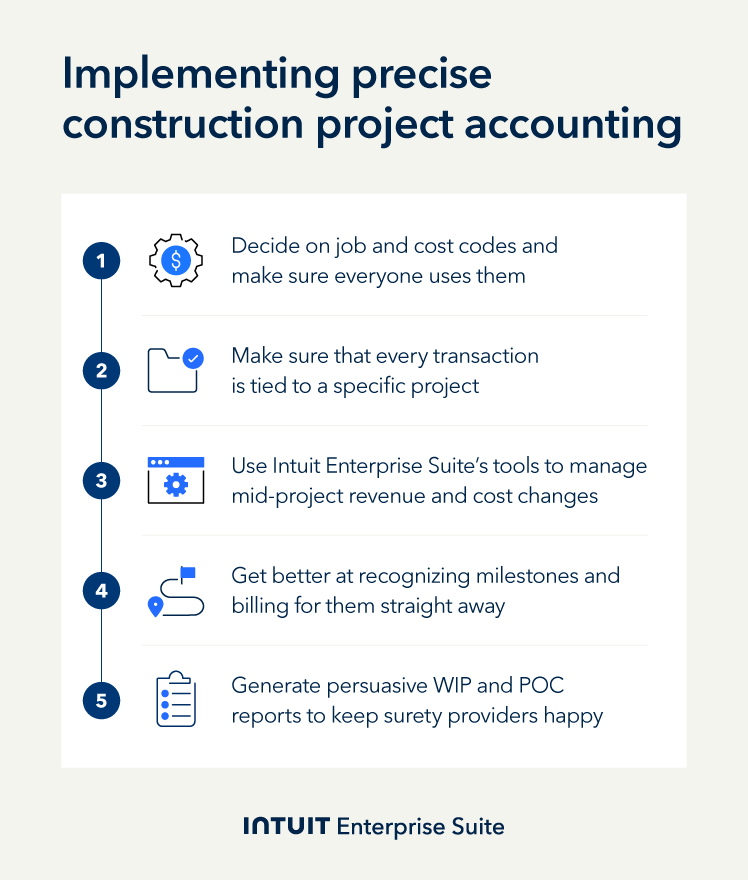
Step 1: Set up the job costing foundation
Key objective: Implement a standard financial data structure across the business and their entities for reliable and granular reporting.
To get reliable job-level reporting, you first need to set up your system to track project data consistently. To do this, activate Job Costing and Class/Location Tracking in Intuit Enterprise Suite. You could also hook it up to your contractor accounting software package.
Then, build a standard list of cost codes for PMs, finance teams, and others to use. Create a shared set of cost categories, like:
- Labor
- Materials
- Subcontractors
- Equipment Rental
- Permits
Communicate these cost categories with colleagues and make sure everyone uses them in estimates, vendor bills, and purchase orders. This consistency will make your reporting far more accurate.
Example: Apex Construction Group, an example commercial contractor with 15 active jobs, could set up a three-level cost code structure:
- Level 1: Broad categories (labor, materials, subs)
- Level 2: Trade or type (framing, concrete, electrical)
- Level 3: Specific activities (concrete pouring, rough wiring)
They enabled Class tracking in their system to separate costs by trading division or entity. They also introduced project phases to add an extra dimension to their report. From bidding to closeout, PMs and finance can see the full picture with every transaction visible in job-level reports.
Step 2: Enforce mandatory transaction assignment
Key objective: Permanently remove unassigned costs to protect WIP accuracy and thereby bonding capacity.
The “cardinal sin” in construction project accounting is unassigned costs. So, to protect the accuracy of your job-level reports, you need to make sure there are no exceptions. Your team can do this by setting rules to prevent vendor bills and purchase orders from being approved without a job and cost code.
In Intuit Enterprise Suite, you can do this by building approval workflows. If a colleague tries to input an incomplete entry, they’re stopped unless they include the project and cost code category.
Example: Apex Construction uses approval workflows to ensure every transaction includes the following three fields: project name, cost code, and job phase. This significantly reduces mistakes that prevent growth, like unassigned costs in WIP and POC documents, helping them to boost their bonding capacity with their surety.
Step 3: Simplify change order management
Key objective: Record every project scope change as a separate line change for auditing and revenue maximization.
Change orders, handled correctly, present new billing and profit opportunities. Handled incorrectly, they lead to missed revenue, dented profit, and disputes with clients.
To make the most of these opportunities on your project, your team can use the Change Order tool in Intuit Enterprise Suite to track approved changes as separate line items. When the project scope does creep, create a change order that includes any extra labour, materials, or markup. This will link the order to the budget and progress features automatically, so you get paid for the extra work while your job reports stay accurate.
Example: On a major $8 million office renovation, Apex’s client requested 47 alterations, all of which became change orders. Intuit Enterprise Suite tracked every change, adding each to their WIP report that documented the extra work. The additional revenue and clean audit trail gave their surety reason to build confidence and trust in Apex’s reporting.
Treat each change contract as a contract within a contract. Quote scope, price, and cost impact in writing before the work starts, making sure it uses the same cost codes as the base contract. Then, tie your change order to progress billing so everything stays in sync.
Step 4: Optimize progress billing for cash flow
Key objective: Match up invoicing with work completed to reduce your Days Sales Outstanding (DSO).
Progress billing is a method of invoicing clients in stages as work is completed. You get paid as the project moves forward, based on milestones, timelines, or how much work has actually been done.
This keeps cash coming into the business and reduces your need for external funding. For progress billing to work, it needs to reflect actual progress and not arbitrary percentages.
To set up progress billing in Intuit Enterprise Suite, align the Job Costing Reports and Progress Invoicing functions. The system then calculates how much of each job is complete by comparing actual costs to the project budget. This way, progress invoices are based on earned revenues and not just billing milestones, so your invoicing stays accurate and ready for audit.
Example: Apex Construction now runs progress billing on the 25th of each month, pulling in costs from time tracking and vendor bills from Intuit Enterprise Suite.
It then calculates the percentage of work completed for each cost category. Since rolling this out, Apex reduced their average Days Sales Outstanding (DSO) from 52 to 34 days and improved their working capital position.

When you schedule a demo, you agree to permit Intuit to use the information provided to contact you about Intuit Enterprise Suite and other related Intuit products and services. Your information will be processed as described in our Global Privacy Statement.
Step 5: Safeguard bonding capacity and audit readiness
Key objective: Ability to produce a reliable and transparent report quickly when sureties require them to secure capital.
Sureties want reliable internal reporting systems. While your balance sheet and company bottom line are important to them, they’re more interested in whether you’re organized and they can trust your numbers.
You can use Intuit Enterprise Suite to produce audit-ready WIP and POC reports. Generate accurate, consistent reports straight away and earn the confidence of sureties by answering their questions quickly.
Example: Apex Construction creates WIP reporting packages automatically on the 5th business day of each month, showing summary WIP schedules, detailed job cost breakdowns, and variance between estimated and actual costs by phase.
A surety was able to see how, on a recent contract, Apex clawed back an overage on concrete costs four months in, giving them confidence in the company’s management processes.
Boost productivity and enhance profitability
Construction project accounting delivers the high-level oversight you need to safeguard project profitability across your entire portfolio. With WIP reporting, you can prove demonstrably to lenders and sureties that you manage project risk well, and they can trust your financial reporting.
Intuit Enterprise Suite gives you the tools to implement construction project accounting in your business effectively. Simplify financial management on every project with Intuit Enterprise Suite. To find out more, schedule a call today.
Check out upcoming events and learn more about Intuit Enterprise Suite.

Customer stories

Case study
How FEFA Financial scaled up with Intuit Enterprise Suite (No ERP migration needed)

Case study
Case study: Fire & Ice transforms multi-entity challenges with Intuit Enterprise
October 25, 2024

Case study
Four Points RV Resorts review: Why they chose Intuit Enterprise Suite over NetSuite
October 25, 2024

Construction
Migrating to Intuit Enterprise Suite took 2 hours (with zero disruption) for this aspiring $50M revenue business
April 25, 2025

Case study
Humble House Foods case study: How they improved visibility & simplicity using Intuit Enterprise Suite
September 24, 2025
More product updates

Product update
What’s new in Intuit Enterprise Suite spring 2025
April 1, 2025

Product update
Intuit Enterprise Suite 2025 update: AI agents & automation enhancements
July 22, 2025

Product update
What’s new in Intuit Enterprise Suite November 2025: The AI-native ERP that adapts with your business
November 14, 2025