Table of contents
Table of contents
CRM vs. ERP key difference: ERP software integrates core business processes such as finance, supply chain, and operations to streamline internal workflows and increase efficiency. On the other hand, CRM software focuses on managing customer relationships, sales, and marketing to improve customer interactions.
When it comes to streamlining business operations, two powerful tools often come up: Customer Relationship Management (CRM) systems and Enterprise Resource Planning (ERP) systems.
While both aim to improve business efficiency, they serve distinct purposes. Understanding the difference can help you decide which one fits your organization's needs—or if both are required.
At its heart, CRM helps businesses manage customer engagement, while ERP consolidates data from various business functions to ensure smooth operations. In this post, we’ll dive into the key features, differences, and benefits of each system, helping you make an informed decision on the best solution for your business.
What is CRM?
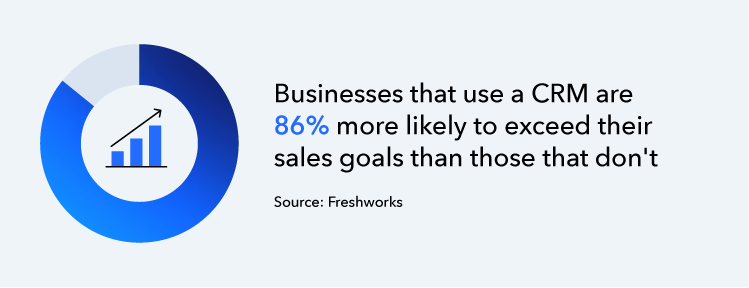
CRM systems help businesses track, manage, and optimize customer interactions across various touchpoints. Originally designed to streamline sales processes—often called sales force automation (SFA)—CRM systems have evolved to integrate customer service, marketing, and even social media engagement into one unified platform.
Modern CRMs centralize customer data, including contact details, purchase history, and communication logs, providing a complete view of each customer.
Key features include lead tracking, sales pipeline management, automated follow-ups, and reporting tools that help businesses personalize customer relationship management, improve customer retention, and drive revenue growth.
By leveraging CRM, businesses can enhance customer satisfaction, streamline operations, and build long-term loyalty.
What is ERP?
ERP systems are the backbone of internal business operations, integrating various processes like finance, HR, and supply chain management. These ERP components allow businesses to centralize data across several departments, streamlining workflows, improving decision-making, and reducing operational costs.
Intuit Enterprise Suite customers are saying:
"[Intuit Enterprise Suite has been] a solution for the thing that we needed right away, which is a consolidation of information, the ability to look across our organization, and get that data in a format so we could move quickly."
- Ed Sutton, Owner & CFO, MDR Realty LLC
There are different types of ERPs, but key features often include inventory control, material requirements planning, and enterprise performance management. They help businesses automate and streamline these processes for an overall optimal performance.

Key differences between CRM and ERP
Both CRM and ERP systems are designed to improve business processes, but they do so in very different ways. Understanding these differences will guide your decision on which system—or combination of systems—will best support your business needs:
- Front-end vs. back-end processes: CRM focuses on front-end, customer-facing activities, while ERP handles back-end processes like accounting and inventory.
- Customer interactions vs. internal processes: CRM manages customer relationships, while ERP focuses on business operations.
- Sales and customer service: CRM is tailored to sales teams and customer service departments, while ERP supports finance and operations.
- Marketing tactics: CRMs are used to track marketing campaigns, while ERPs manage internal resources and reporting.
- Supply chain management: ERP streamlines supply chain operations, while CRM helps with customer engagement throughout the sales process.
Whether you need the customer-centric capabilities of a CRM or the operational control of an ERP, understanding where each excels will help you choose the right solution for your current needs or growth plans.

CRM and ERP similarities
While CRM and ERP systems serve different functions, they share several key features that can drive operational efficiency. These similarities make both systems essential for businesses looking to streamline processes and make data-driven decisions.
In many cases, ERP solutions include CRM capabilities as part of their integrated approach, ensuring seamless data flow across departments.
- Data management and centralization: Both systems centralize data for better decision-making.
- Real-time information access: CRMs and ERPs provide real-time data to improve business responsiveness.
- Process automation capabilities: Both help automate workflows to increase efficiency.
- Unified data models: Both ensure a unified view of data across functions for smoother operations.
These overlapping features ensure that your business can benefit from streamlined workflows and improved access to crucial information, whether you're managing customer relationships or internal operations.
Benefits of CRM vs. ERP systems
CRM benefits include enhancing customer relationships, streamlining sales and marketing efforts, and enabling data-driven decision-making. It empowers teams to provide personalized service and convert leads more effectively.
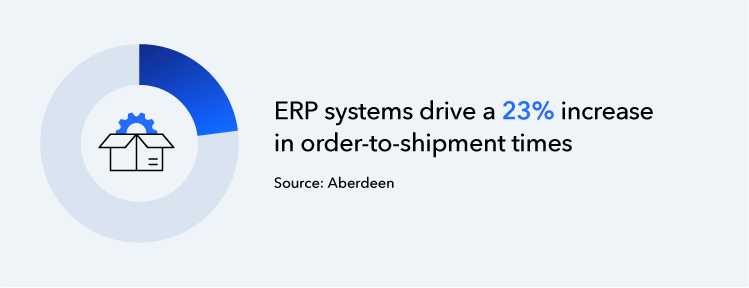
On the other hand, ERP systems focus on improving operational efficiency, enhancing financial controls, and strengthening supply chain management. With ERP, businesses can optimize resources, reduce redundancies, and improve overall productivity.
Key features of CRM and ERP systems
Both CRM and ERP systems offer distinct features tailored to their specific functions, helping businesses streamline operations and improve efficiency. Here are each of their key features:
CRM features:
- Social media integration: CRM systems often integrate with social media platforms to track customer interactions and analyze sentiment, enabling better engagement.
- Customer data analysis: CRM platforms provide insights into customer behavior and preferences, helping businesses tailor marketing efforts and enhance customer satisfaction.
- Sales force automation: Automates repetitive tasks in the sales process, such as lead tracking, follow-ups, and reporting, freeing up sales teams to focus on relationship building.
- Customer support management: CRM systems offer tools for managing customer support tickets, tracking resolution progress, and improving customer service efficiency.
- Email marketing integration: Many CRMs include features for email campaign management, allowing businesses to nurture leads and maintain customer engagement.
ERP features:
- Material requirements planning (MRP): ERP systems help businesses plan and manage the materials needed for production, reducing waste and ensuring timely procurement.
- Redundant task automation: Automates routine tasks across departments like payroll, invoicing, and inventory tracking, reducing human error and improving operational efficiency.
- Enterprise performance management (EPM): Provides real-time reporting and analytics to help businesses monitor their financial health and make data-driven decisions.
- Supply chain management: ERP systems integrate and optimize the entire supply chain process, from procurement to delivery, ensuring efficient resource management.
- Human resources management (HRM): Many ERP systems include HR features like payroll, employee performance tracking, and benefits administration, centralizing all HR data.
- Financial management: ERPs centralize financial data, enabling better budgeting, forecasting, and compliance tracking, leading to stronger financial controls.
Both CRM and ERP systems offer powerful features that, when leveraged correctly, can dramatically improve business performance. Choosing the right system—or both—depends on your specific business needs and goals.
How to choose between CRM and ERP
Choosing between CRM and ERP depends on your business goals and operational needs. Below are key factors to consider when deciding which system—or both—best aligns with your business strategy.

1. Assess your business's needs and goals
Start by evaluating your front-end and back-office priorities. If your main focus is improving customer interactions and sales, a CRM will serve you best.
However, an ERP system may be the right choice if you're looking to streamline internal processes like inventory, finance, and HR. Consider the scale of your customer base and sales processes to determine where your business needs the most support. You can also perform an ERP gap analysis for enhanced visibility.
2. Consider the complexity of your operation
Take a close look at your current organizational gaps and process inefficiencies. If managing finances, supply chains, or employee data is becoming increasingly complex, an ERP system can provide the integration needed to simplify operations.
On the other hand, if your financial operations are relatively straightforward but customer management is challenging, CRM will be more beneficial.
3. Determine if you need both CRM and ERP
If your business needs both customer relationship management (CRM) and improved operational efficiency, an ERP system with built-in CRM capabilities might be the better choice.
Some ERP solutions include CRM functionality, eliminating the need for a stand-alone CRM and the complexity of manual integration. This integrated approach ensures seamless customer management while optimizing back-office operations, supporting scalability, and improving overall performance.

When you schedule a demo, you agree to permit Intuit to use the information provided to contact you about Intuit Enterprise Suite and other related Intuit products and services. Your information will be processed as described in our Global Privacy Statement.
Boost productivity and enhance profitability
When choosing between CRM and ERP, consider your unique needs and challenges. With the right system in place, your business can streamline operations, improve customer relationships, and boost profitability.
For companies looking to enhance their business operations, Intuit Enterprise Suite can help unify your systems and increase efficiency, making it easier to focus on what matters most: growth and customer satisfaction.
CRM vs. ERP FAQ
Check out upcoming events and learn more about Intuit Enterprise Suite.

Customer stories

Case Study
How FEFA Financial is growing with Intuit Enterprise Suite—without migrating to an ERP

Case Study
How this mission-driven, employee-owned company created efficiencies with Intuit Enterprise Suite
October 25, 2024

Case Study
Why this camping business chose Intuit Enterprise Suite over NetSuite
October 25, 2024

Case Study
Migrating to Intuit Enterprise Suite took 2 hours (with zero disruption) for this aspiring $50M revenue business
April 25, 2025

Case Study
Humble House Foods case study: How they improved visibility & simplicity using Intuit Enterprise Suite
September 24, 2025
More on ERPs

Guide
Data analytics: How AI-driven ERP data analytics reveal blind spots & align resources for growth

ERP
ERP implementation: From spreadsheets to an integrated & scalable ERP system
May 27, 2025

ERP
7 advantages of an ERP system every exec & business owner should know
November 22, 2024

ERP
AI in ERP: Unifying data using intelligent automation
October 14, 2025